One Map
EmbeddingGemma 2 puts text, pictures, sound and video into one vector space, and it runs without a graphics card. How it works, and what we measured on four processor cores.
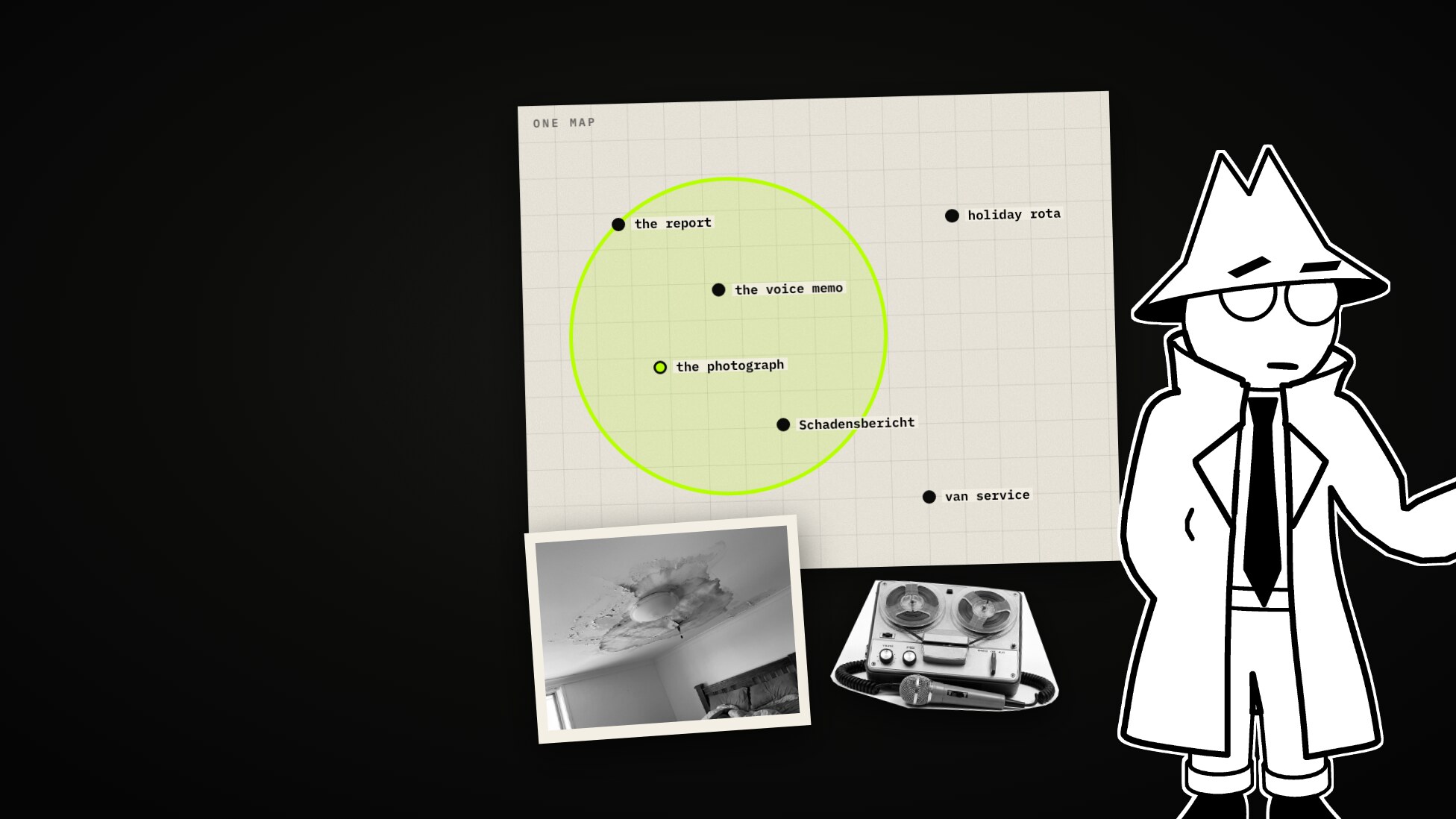
Monday. A pipe bursts, a bedroom floods, and by evening the job has left its trail on the shared drive: a report, a voice memo, photographs, a scanned delivery note, a video walking through the flat.
Three weeks later somebody asks one thing: show me everything about the bedroom ceiling. Search finds the report, because the report has the words. The photograph of the ceiling has no words in it at all.

On 6 October 2026 Google DeepMind released a model that is meant to close that gap: EmbeddingGemma 2. This post explains what it is and how it works, and then reports what happened when we ran it on four processor cores.
The company, Hollowmere Restoration, its people, its jobs and all 38 files on its drive are invented. The models and every figure quoted here are real, as measured on 11 October 2026 on one machine. The pictures are from a short film we made alongside this post; the photographs in them are generated and show no real person, place or product.
What an embedding is
An embedding is a list of numbers that stands for what something means. The easiest way to think about it is as a place on a map. A model reads a sentence and puts it somewhere; sentences that mean the same land close together, and it does not matter whether they share a word. “A burst pipe” and the German Rohrbruch are neighbours.
Searching is then simple. Put the question on the same map and look at what lies nearby.

How pictures and sound were searched before
For years that map was for text only, so everything else was turned into text first. A picture went through a reader that looks for letters (OCR). A recording went through a transcriber. Then the words were embedded.
It works, and it is what most document search does today. It also has two costs. It is three machines in a row, each with its own errors. And you can only find what one of them wrote down. A stain on a ceiling writes nothing down.

There were steps in between. CLIP (2021) trained two models side by side, one for pictures and one for captions, so that a photograph and its caption land together. That made text-to-image search good, for one pair of formats. ImageBind (2023) aligned six formats to images. The newest approach is one model that reads every format itself. Google’s Gemini Embedding 2 works that way, but only as an API. EmbeddingGemma 2 is the same idea with open weights, in a size you can run yourself.
EmbeddingGemma 2
| Released | 6 October 2026, Google DeepMind |
| Licence | Apache 2.0, open weights |
| Size | 740 million parameters: 270M for text, 170M for the vision encoder, 300M for the audio encoder |
| Reads | Text and code, images, video, audio, and mixtures of them |
| Returns | One vector of 768 numbers, whatever came in |
| Window | 8,192 tokens: about 29 images, 58 video frames or five and a half minutes of audio |
A model that reads text cannot read pixels. So two small encoders stand in front of it. One turns a picture into tokens, the other does the same for sound. From there on everything is tokens in one line, through one shared backbone. By default a photograph costs 280 tokens, a video frame 140, and a second of audio 25.
At the end the model averages the lot into 768 numbers: one place on the map.

We found no technical report for this model itself. Its larger sibling behind the API, Gemini Embedding 2, has a paper, and that describes large-scale contrastive training: show the model pairs that belong together, a photograph and its caption, a clip and its transcript, and train it to pull each pair together and push everything else away.
Two design choices that matter once you run it
Smaller vectors. The model is trained so that the first 512, 256 or 128 numbers of a vector work as a vector on their own (Matryoshka representation learning, after the Russian dolls). At 256 numbers you store a third. The catch is in Google’s own table:
| Numbers kept | Text (MTEB multilingual) | Pictures, video, documents (MMEB v2) |
|---|---|---|
| 768 | 61.36 | 59.01 |
| 256 | 60.41 | 56.24 |
| 128 | 57.89 | 45.65 |
Cut down to 128, text loses three and a half points; pictures and video lose thirteen.

Optional encoders. The vision and audio encoders can be left out. Text alone is 270 million parameters, and it lands on the same map. So you can index your photographs once with the full model and search them with the small one.

Running it on a processor
Google says the model is built for laptops and phones. We wanted to know what that means on a plain server processor, with no graphics card. The set-up: a single-node Kubernetes cluster in Docker on an Apple M1 Pro, the model pod limited to four cores, the 8-bit quantised weights.
Where it runs today
The first surprise had nothing to do with speed. Ollama is the usual way to
run such models, and its library has embeddinggemma-2. In a Linux container
every tag answered the same:
Error: this model requires MLX support, but the MLX runtime is not availableOn 11 October 2026 (Ollama 0.40.3) the library’s builds are for Apple’s MLX runtime only. A maintainer wrote on the issue that Linux and Windows support will be added soon. Pulling the GGUF file through Ollama did not help either: its bundled llama.cpp did not know the architecture yet.
llama.cpp’s own server did. One container, the official GGUF from
ggml-org/embeddinggemma-2-GGUF, and an OpenAI-style endpoint:
containers:
  - name: llama-server
    image: ghcr.io/ggml-org/llama.cpp:server
    args:
      - --hf-repo
      - ggml-org/embeddinggemma-2-GGUF:Q8_0
      - --no-mmproj        # text tower only; leave it out to load the encoders
      - --embedding
      - --ctx-size
      - "8192"
      - --parallel
      - "4"
      - --threads
      - "4"
How fast
| EmbeddingGemma 2, 4 cores | EmbeddingGemma 2, 8 cores | MiniLM-L6, 2 cores | |
|---|---|---|---|
| One question | 0.12 s | 0.11 s | 0.002 s |
| Passages of 1,200 characters, a second | 0.4 | 0.6 to 0.7 | 5.9 |
MiniLM-L6 is the small English model we had used until then (22 million parameters). A passage of 1,200 characters is about 300 tokens.
So a search is fast enough that nobody notices. Building the index is the slow part: at 0.4 passages a second, a hundred thousand passages take about three days on four cores. For a drive of a few thousand files that is an evening. For an archive it is a reason to borrow a graphics card for the indexing and keep the CPU for searching.

Does it find things
We wrote ten questions about the drive, each with the files a person would want back, and asked them through the same search with three models.
| Model | Right file first | Mean reciprocal rank |
|---|---|---|
| MiniLM-L6 (384 numbers, trained on English) | 5 of 10 | 0.64 |
| EmbeddingGemma 2 on four cores | 6 of 10 | 0.78 |
| Gemini Embedding 2 over the API (768 numbers) | 7 of 10 | 0.83 |
Ten questions are a demonstration, not a benchmark. The clearest difference was not in the totals. “Flooded basement after heavy rain”, asked in English, returned the German note Kellerüberflutung first with both Google models. MiniLM did not return it at all.

The prompts that are easy to miss
One line in the model card decides whether you get those numbers. The model wants to be told which side of a search a text is on:
task: search result | query: water coming through the bedroom ceiling
title: none | text: Water has come through the ceiling over the bed…
A library such as sentence-transformers adds these for you. A bare
/v1/embeddings endpoint embeds whatever string arrives. Without the prompts
the same model, on the same chunks, put the right file first five times
instead of six (mean reciprocal rank 0.70 instead of 0.78): short strings that
merely looked like the question outranked the passage that answered it.

The photograph itself
Then we loaded the full model, encoders included, on the same four cores, and gave it the pictures themselves. No OCR, no caption.
First a sanity check: six captions against six pictures. Every caption scored highest on its own picture.

Then one index of 43 things: the 35 files that have text, the six pictures as pixels, and the two voice memos as sound.
- “Water coming through the bedroom ceiling”: the photograph came third, the spoken memo fourth.
- “The pipe joint that failed under a sink”: the photograph of the pipe came first.
- Schimmel im Schlafzimmer hinter dem Schrank, asked in German: the photograph of the mouldy corner came fourth.
- Each voice memo, embedded as sound, was closest to its own transcript (0.83 against 0.72 for the other memo’s).

The price is time. A photograph took about a minute on four cores (53 to 60 seconds each), the A4 scan nearly four minutes, a 33-second memo 12 seconds. That is fine for a few hundred pictures and hopeless for a million.
Where we ran it
We ran the text part of this inside Classifyre, which scans a source, reads what it can into text, and indexes the text. The model plugs in as an OpenAI-compatible endpoint: an address inside the cluster, no key, and the two prompts.

Asked about the bedroom ceiling, the workspace returns the voice memo first (Whisper had transcribed it), then the moisture readings, then the report.

What it does not do: it uses the model’s text side only. Pictures are read for their words, and the three photographs with no writing in them are not in any result. Embedding the picture itself, as in the section above, is not in the product.
Testing a new model also turned up things that had nothing to do with it. Four of them are fixed on the development branch as of today:
- The reader had stopped reading. A release of the OCR library on 8 October dropped a name another library imports. That library caught the error, logged “no OCR engine found” and carried on, so every image and scan came back as an empty document. It now counts as a failed extraction with the reason named, and the version is pinned.
- The transcriber crashed on every audio and video file, after an update of the media library removed an argument the speech library still passes. Pinned as well.
- An endpoint without an API key was refused, which ruled out every self-hosted server. A key is now optional for those.
- There was nowhere to put the two prompts. They are now fields on the provider, and changing the document prompt re-embeds the workspace.
What it will not do
- Its scores sit close together. In our grid the right picture scored 0.67 to 0.81 and a wrong one 0.51 to 0.71. Rank the results; do not draw a line at a number.
- 128 numbers are for text. Google’s table says so, and so does the model card.
- It is not fast on a processor when indexing, and pictures cost far more than text.
- It reads 8,192 tokens at a time. A long recording or video has to be cut up first.
- It was five days old when we tested it. The tools are still catching up, as the Ollama error shows.
A rule of thumb
One map beats three machines in a row. Index once with the big model, search with the small one. And test it on your own files, with questions whose answers you know.
Sources
- Google, EmbeddingGemma 2 launch post, 6 October 2026, and the developer guide.
- Hugging Face, google/embeddinggemma-2: the model card, with the truncation table and the task prompts.
- Hugging Face, ggml-org/embeddinggemma-2-GGUF.
- Ollama, issue 18825, “Failed to pull embeddinggemma-2:740m on linux”.
- Prompt Engineering, EmbeddingGemma 2: On-Device Multimodal RAG Made Easy, 7 October 2026, whose order of explanation we borrowed.
- Shanbhogue et al., Gemini Embedding 2: A Native Multimodal Embedding Model from Gemini, 2026.
- Radford et al., CLIP, 2021; Girdhar et al., ImageBind, 2023.
More from the blog
One Look: Decision Models, System One, and What Five of Them Did With Fifty Messages
A decision model does not write. You give it a text and a list of questions, and it answers each with a probability. What that is, where the name System One comes from, why there are suddenly so many, and what five real models did with fifty messages to a bike shop that does not exist.
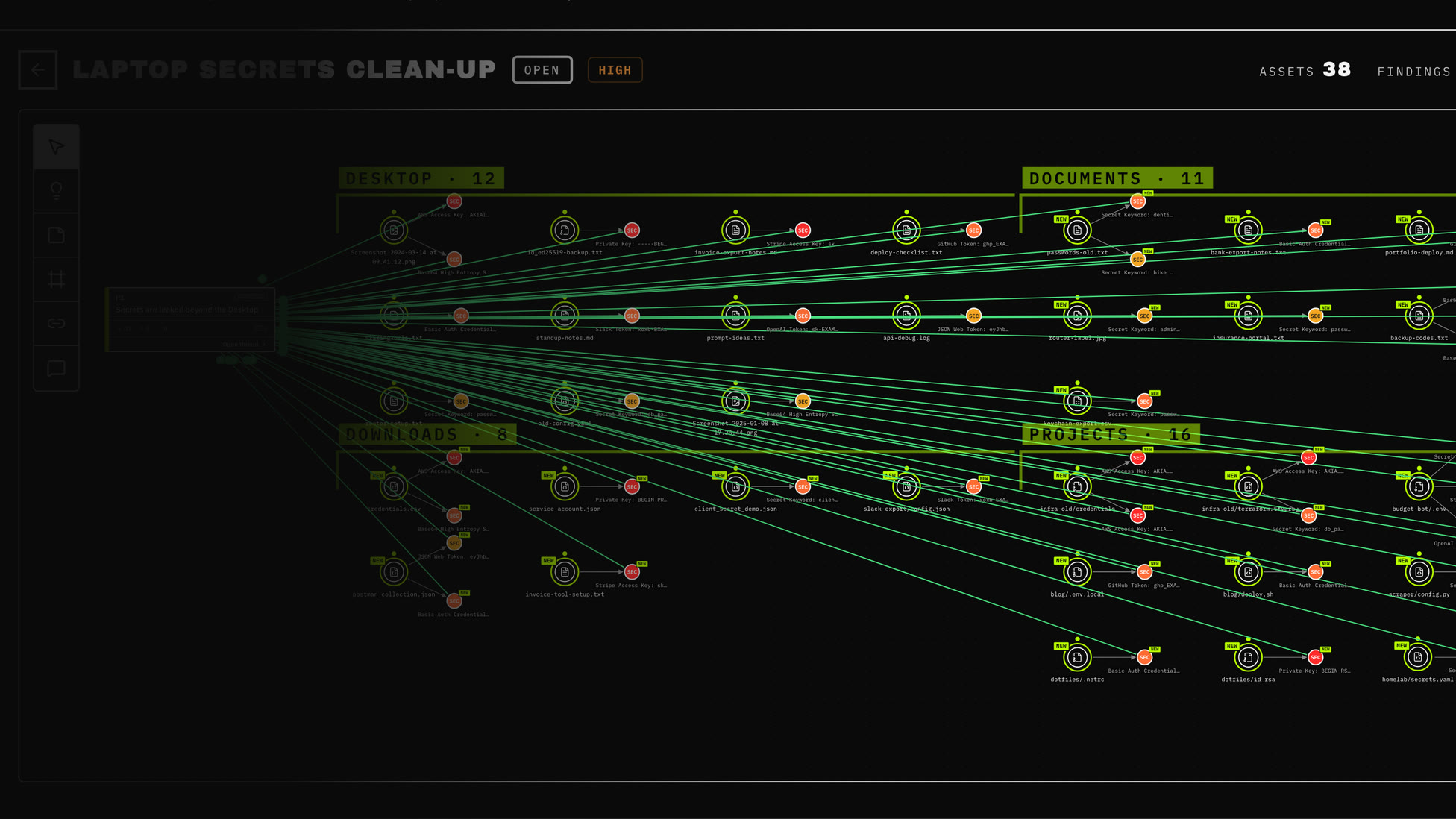
Your Laptop Remembers: How to Find Leaked Secrets in Screenshots, .env Files and Old Notes
An API key in a screenshot, a .env file in an abandoned side project, a text note full of passwords. A step-by-step walkthrough of finding every leaked secret on your own laptop with one Docker command, read-only, without anything leaving the machine.
We Deleted Our Prettiest Screen: From Fingerprints to Near-Duplicate Review
Why we replaced the fingerprints similarity graph with a duplicate review queue — what the canvas cost us, what changed for cases, and what the new numbers actually mean.